Instant Browser Access
No download required. Open rocketspin.app in any browser on desktop, tablet, or mobile and log in directly to the full casino.
Login at Rocketspin in Australia: Account Security & SSL
Access your account in seconds from any browser. Your balance, bonuses, and game history are waiting on the other side of the login screen.
Keeping Your Account Secure
What You Should Do
What You Should Avoid
Signing In, Made Simple
Instant Browser Access
No download required. Open rocketspin.app in any browser on desktop, tablet, or mobile and log in directly to the full casino.
256-bit SSL/TLS Protection
Every login session is secured by 256-bit SSL/TLS encryption, the same standard used by Australian financial institutions, protecting your credentials end to end.
Works on Any Device
The login page is fully optimised for iOS and Android. Add a home-screen shortcut for one-tap access without opening a browser tab each time.
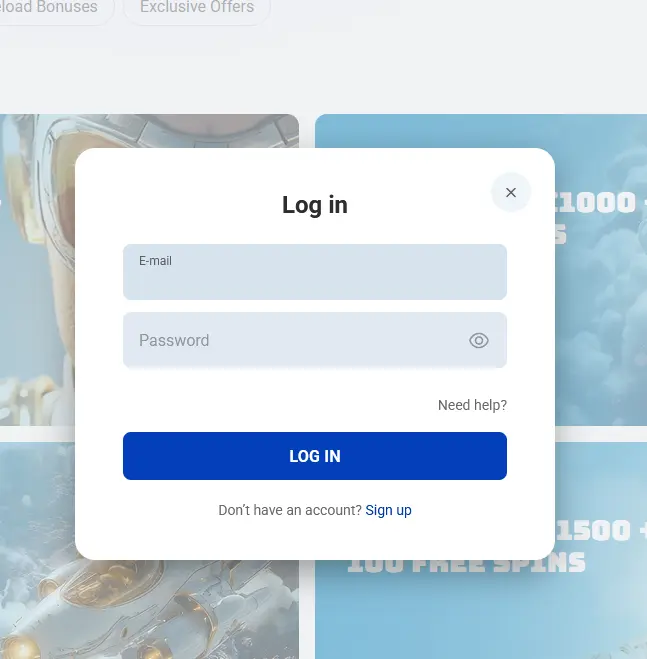
Rocketspin uses a standard email-and-password login that works identically across all browsers and devices. When you created your account you chose either an email address or a username as your identifier. Both routes lead to the same account.
To sign in, open the Rocketspin website, select the login button in the header, and enter your credentials. The site operates entirely through HTTPS, and 256-bit SSL/TLS encryption protects everything transmitted during authentication, including the session token that keeps you logged in while you play.
There is no separate app login and no platform-specific credential; the same username or email and password combination works whether you are on a desktop browser in the morning or a mobile browser later in the day.
Logging in requires only your registered credentials and a modern browser. The process is the same whether you choose a full desktop environment or a phone screen.
Open any major browser (Chrome, Firefox, Edge, or Safari) and navigate to the Rocketspin site. Click the login button in the top navigation bar. Enter your email address or username in the first field, then your password in the second. Click sign in. Your account dashboard loads immediately, showing your AUD balance, active bonuses, and recent game history.
Open Safari on iOS or Chrome on Android and navigate to the Rocketspin site. The login button appears in the same position as on desktop, adapted for touch. Tap it, enter your credentials using the on-screen keyboard, and tap the sign in button. The session remains active until you log out manually or close the browser tab. Adding a home-screen shortcut means you can tap directly into the site the next time without re-typing the address.
Rocketspin does not have a native app on the App Store or Google Play. The mobile browser version delivers the full casino experience, and a home-screen shortcut created from your iOS or Android browser behaves as a progressive web app, opening directly to the login screen with no browser toolbar visible.
A secure account protects your AUD balance and any bonus funds you have accumulated. Because Rocketspin does not currently offer two-factor authentication, the strength and uniqueness of your password is the primary line of defence.
The platform runs anti-fraud monitoring in the background. Unusual activity, such as a login from an unrecognised location or device, may trigger an automatic check. If the system flags a session as suspicious, it may request additional confirmation or temporarily restrict account access until the query is resolved through support.
If you receive an unexpected login notification or notice a transaction you did not make, change your password immediately and contact the support team via live chat or email at [email protected].
Most login difficulties have a straightforward fix. The following covers the situations that come up most often.
Forgotten password: Select the forgot-password link on the login page. Enter your registered email address and check your inbox (including spam) for a reset link. The link is time-limited, so use it promptly. Once reset, log in with the new password.
Account locked: After several consecutive failed login attempts, Rocketspin temporarily locks the account. This is a deliberate security measure, not a punishment. Contact the 24/7 live chat team or email [email protected] to have the lock reviewed. The support team can verify your identity and restore access.
Credentials not recognised: Double-check that you are using the email address registered at sign-up (and not an alias or alternative address). If you signed up with a username, try that instead of the email. Password fields are case-sensitive.
Page not loading: Clear your browser cache and cookies, then try again. If the site loads but the login panel does not appear, try a different browser or disable browser extensions that might interfere with the page.
Verification hold: If your account is under a KYC review (most commonly triggered before a first withdrawal), login access continues normally but withdrawals remain on hold until the review completes. Upload your Australian driver’s licence or passport, a recent utility bill or bank statement, and your payment method documentation through the account verification section to clear the hold.
For any issue not resolved by the above, the support team is available 24/7 through live chat or at [email protected].
New players can register directly on the Rocketspin website. The sign-up form asks for an email address, a password, and basic personal details. The welcome package of up to $5,000 across four deposits plus 300 free spins activates automatically on qualifying deposits, so once your email is confirmed you can move straight to the cashier and begin. You must be 18 or over to register and play at Rocketspin Casino.
Common Login Questions
On the login screen, select the forgot-password option and enter your registered email address. A reset link will arrive within a few minutes. Check your spam folder if it does not appear in your inbox.
After multiple failed attempts, Rocketspin temporarily locks the account as an anti-fraud measure. Contact the 24/7 live chat team or email [email protected] to have the lock reviewed and lifted once your identity is confirmed.
Yes. The full casino, including your account, cashier, and all games from Evolution and Pragmatic Play, is accessible through any mobile browser. No app download is required.
Log In and Start Playing
Grab 100% up to A$5,000 and 300 free spins.
Enter Casino Play responsibly: this platform is restricted to players 18 and over, and all bonus offers carry full terms and conditions.